Impact O&P Software Suite
One customizable software suite, built to fit your needs.
A single, customizable suite that runs in your browser and on your Windows computers, with every update. The Lower Limb Orthotics package is ready now; more orthotic and prosthetic packages are on the way.
Every subscription
All subscriptions have access to both browser-based tools and dedicated Windows applications.
You don’t choose between them. Every plan includes both, so you can start a case at the clinic and finish it at home.
In your browser
- Sign in on this site and start. Nothing to install.
- Works on any recent computer with a modern browser.
- End-to-end encryption means that nobody except you gets access to your patient data stored in the cloud.
On your desktop
- Modular Windows application available for download, to work while offline.
- Sign in once with your account to activate.
- Install on your clinic and home computers.
Cloud storage integration
Every subscription comes with included cloud storage by Impact, with optional Microsoft OneDrive / 365 or Google Drive integration coming soon. Seamlessly move between locations and computers at will. End-to-end encryption makes sure your patient data is never at risk. Cloud storage can be turned on or off depending on your privacy requirements.
See it at work
The Lower Limb Orthotics package
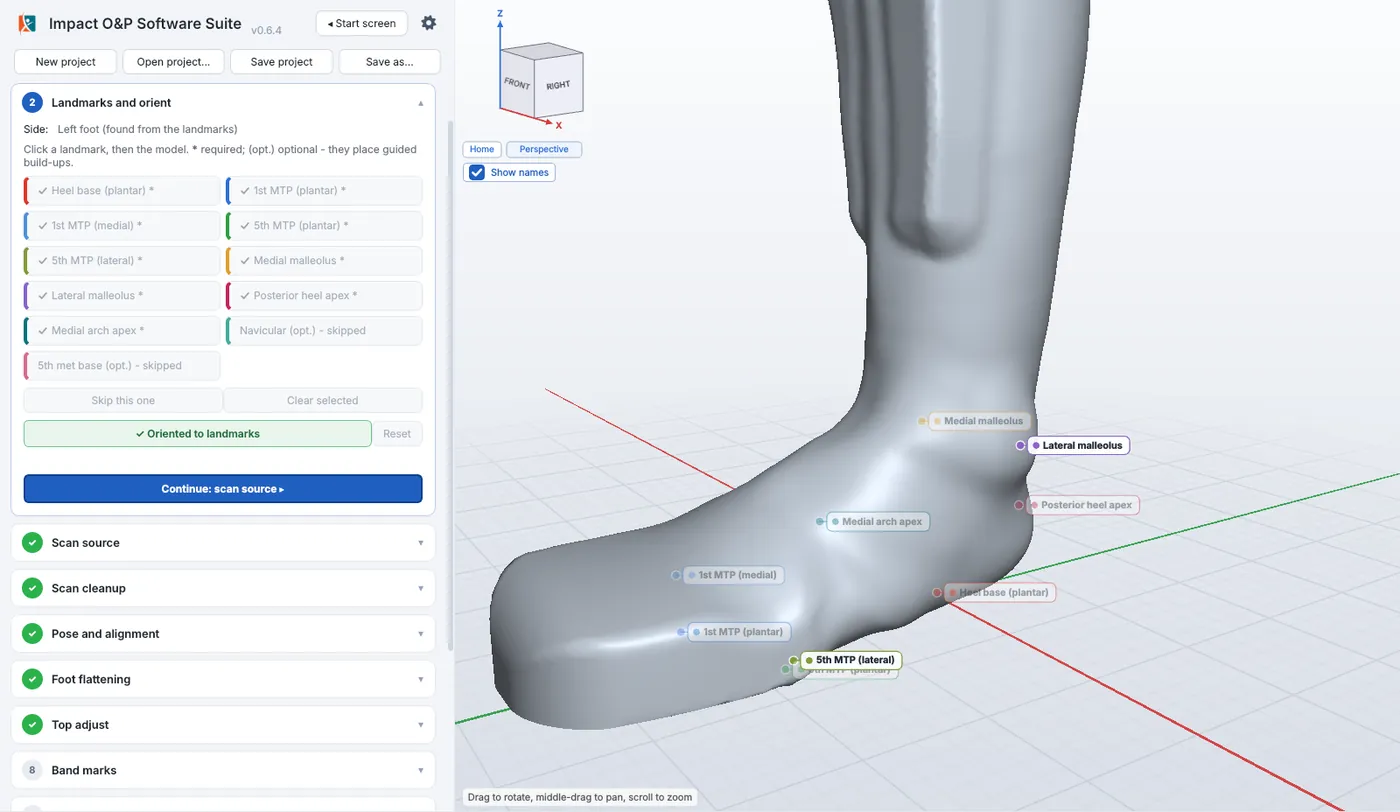
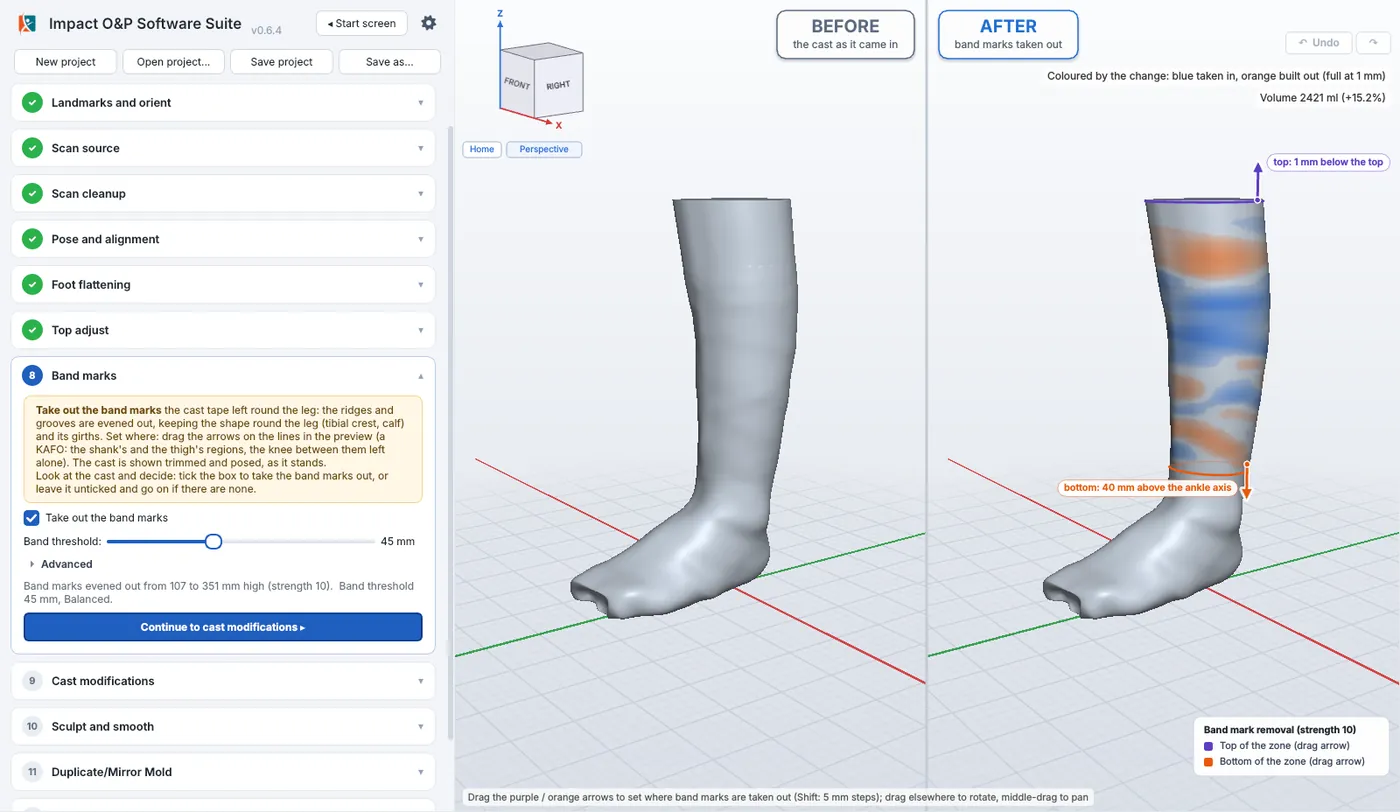
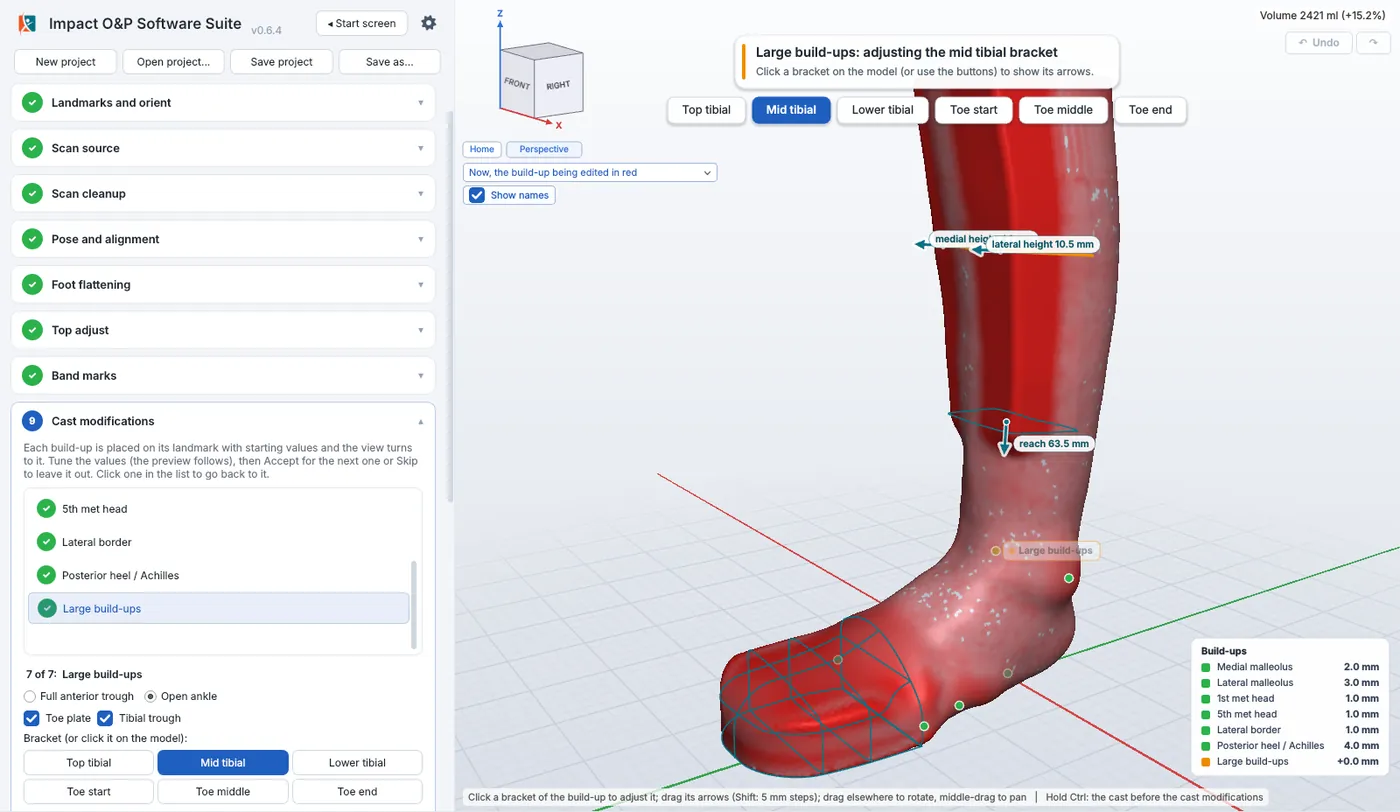
Screenshots from the Windows application, on scans from our own lab. The browser version works the same way.
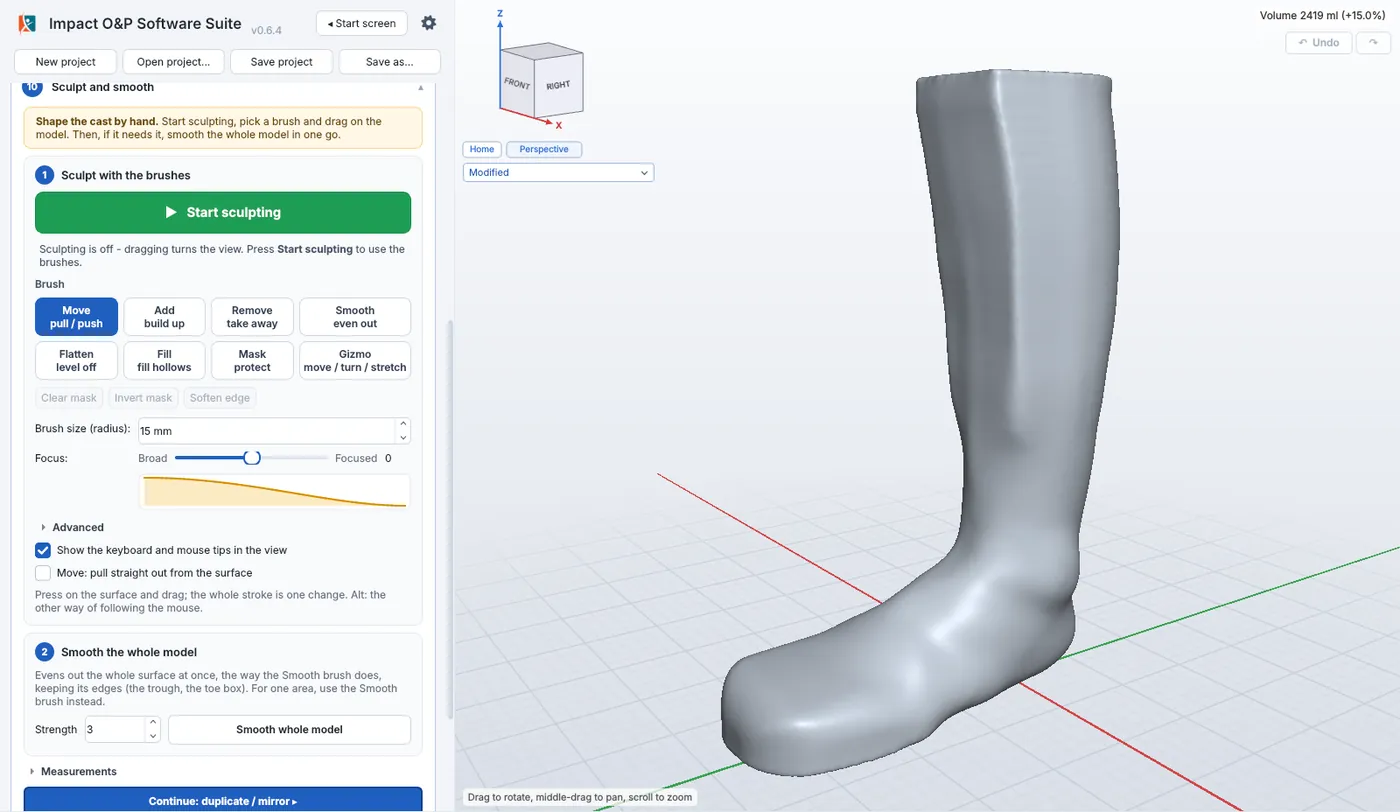
AFO and KAFO modification
Guided workflow from scan to finished mold.
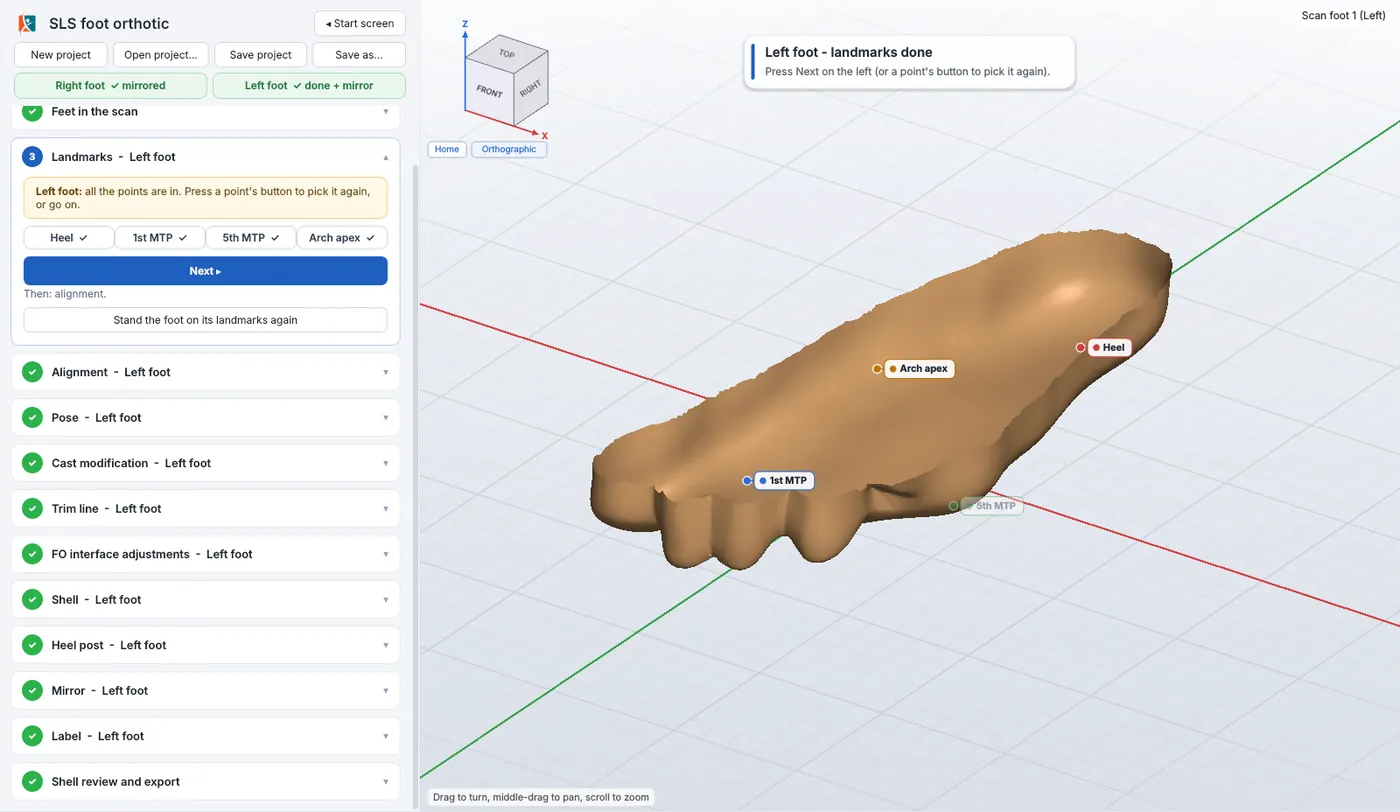
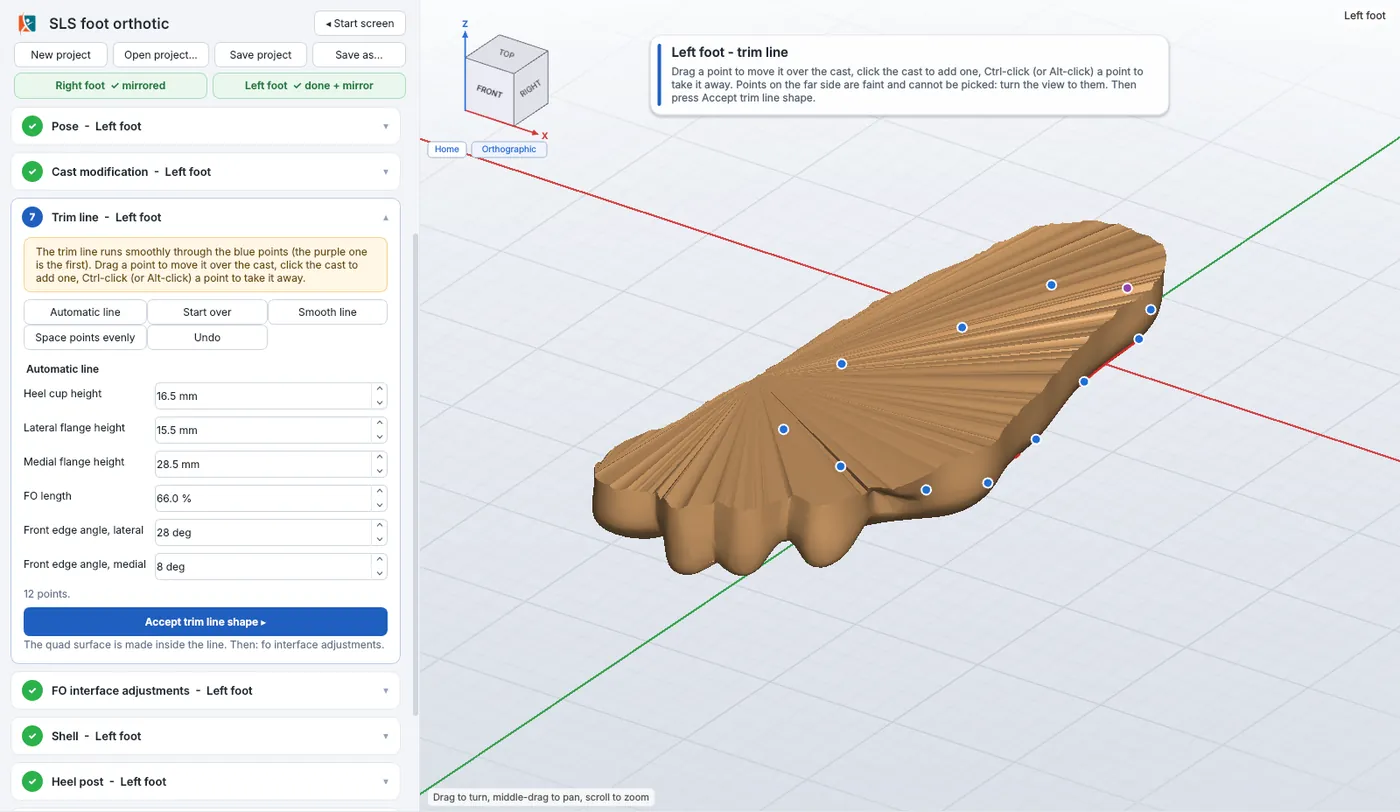
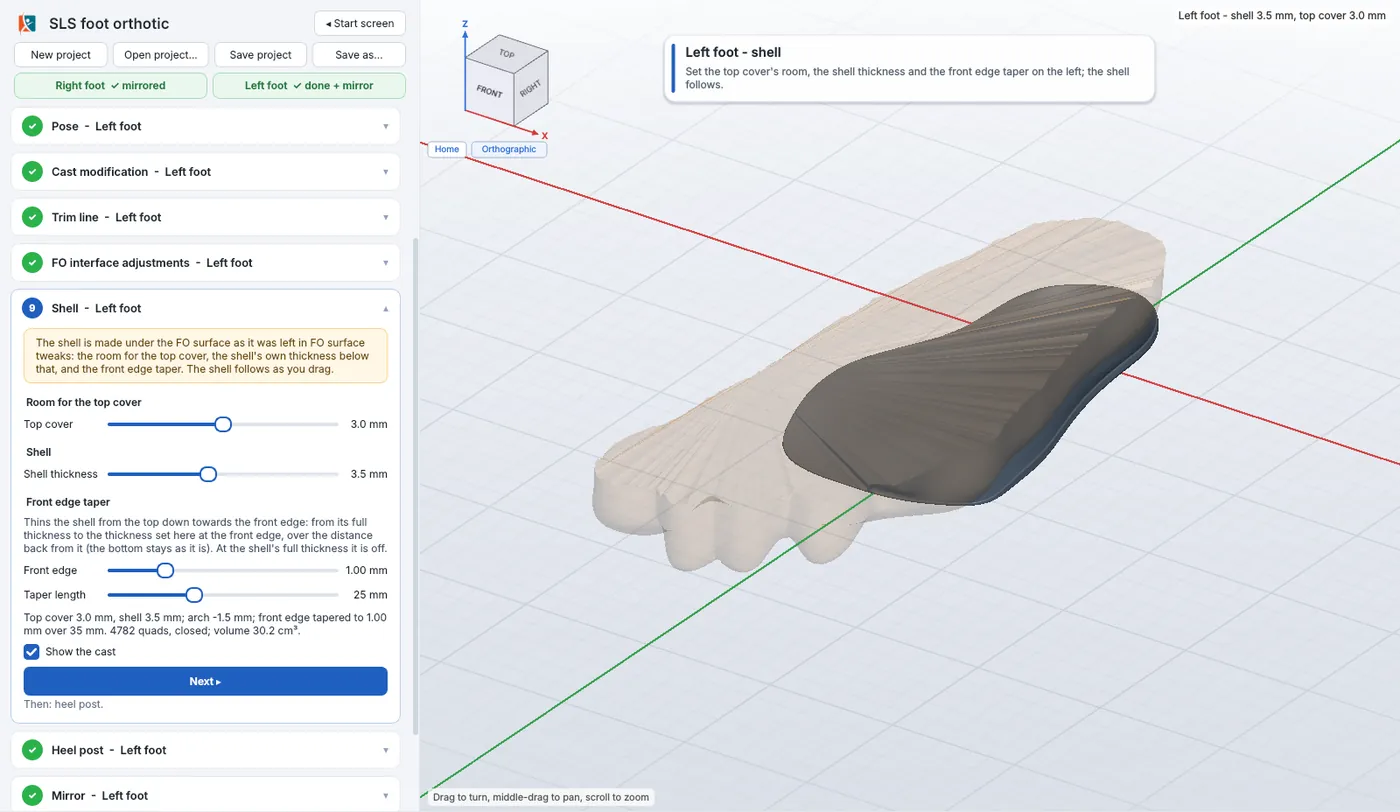
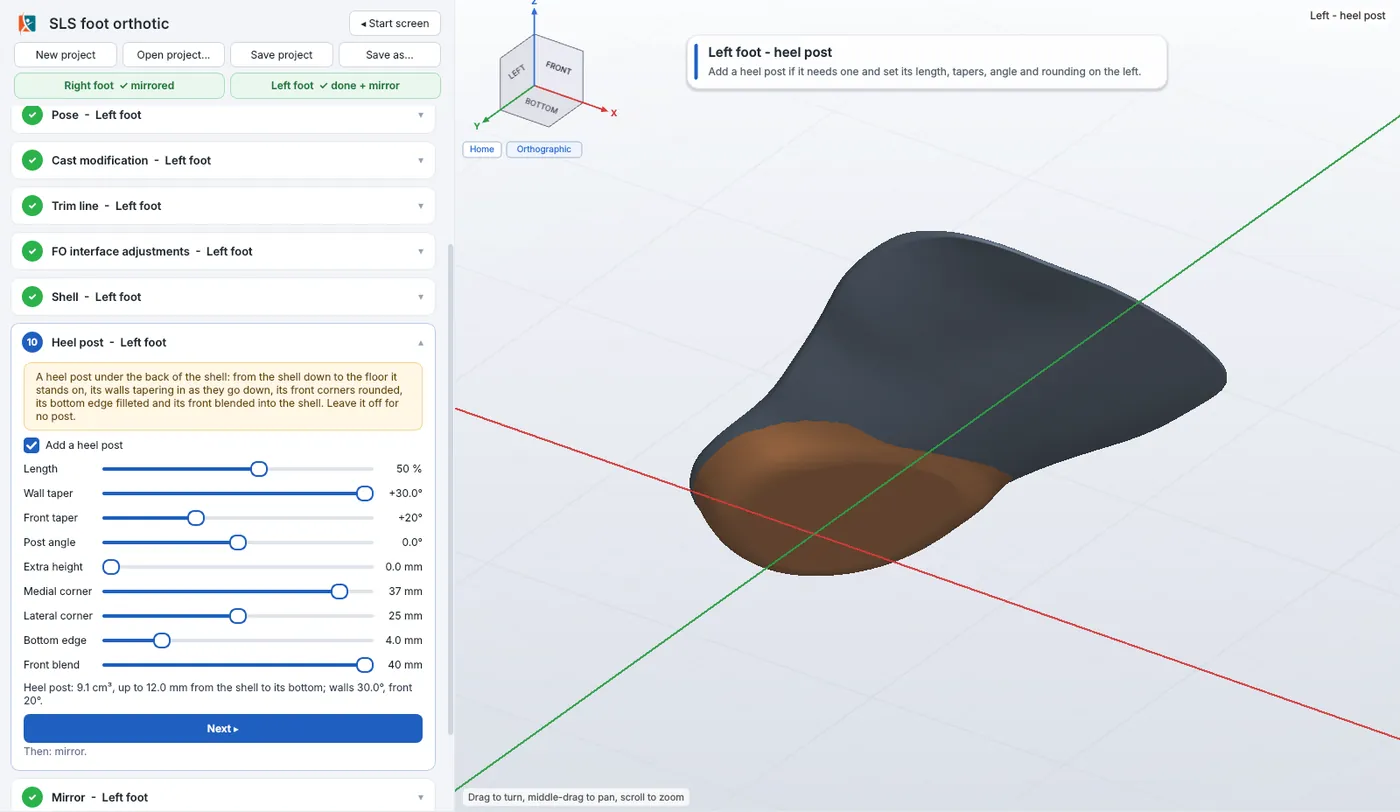
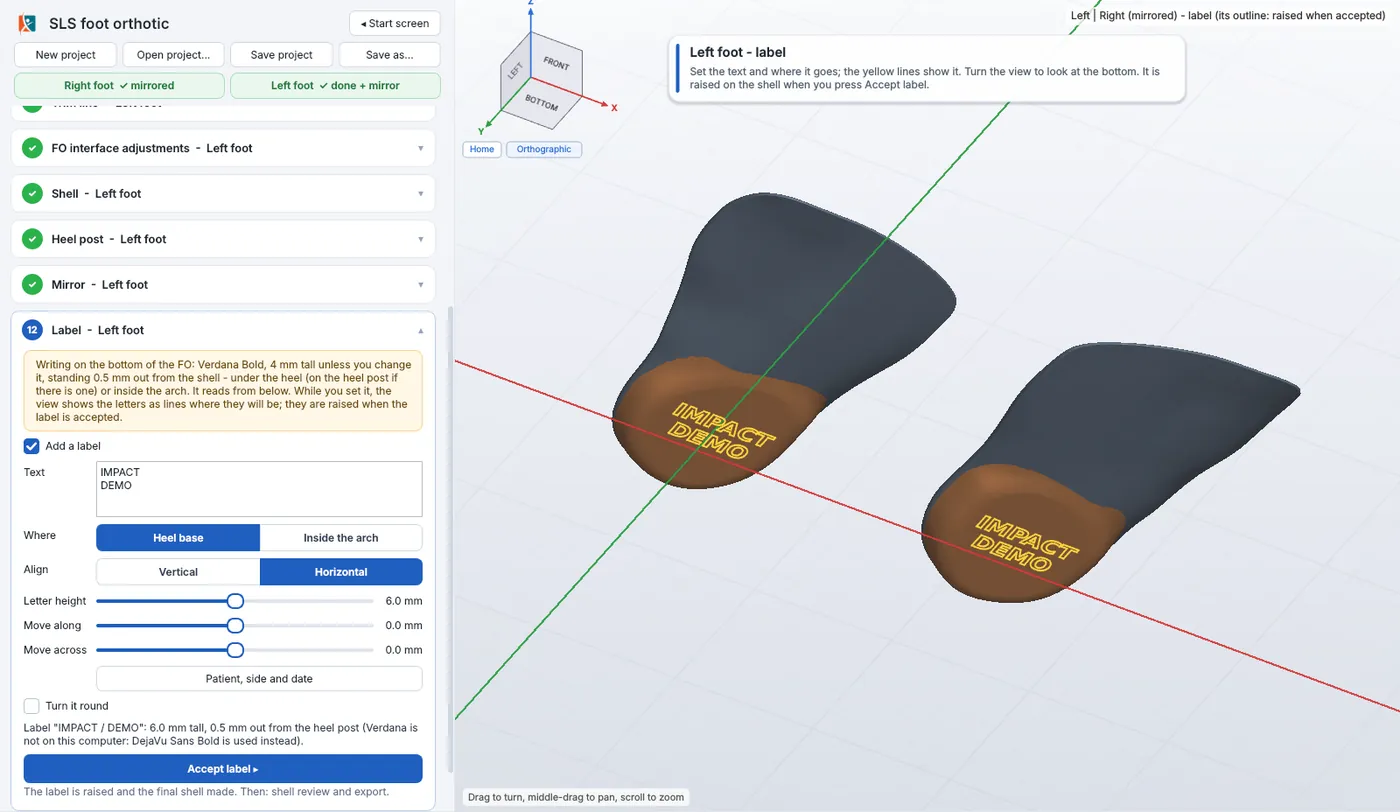
SLS foot orthotics
From a foot scan to an SLS-ready shell.
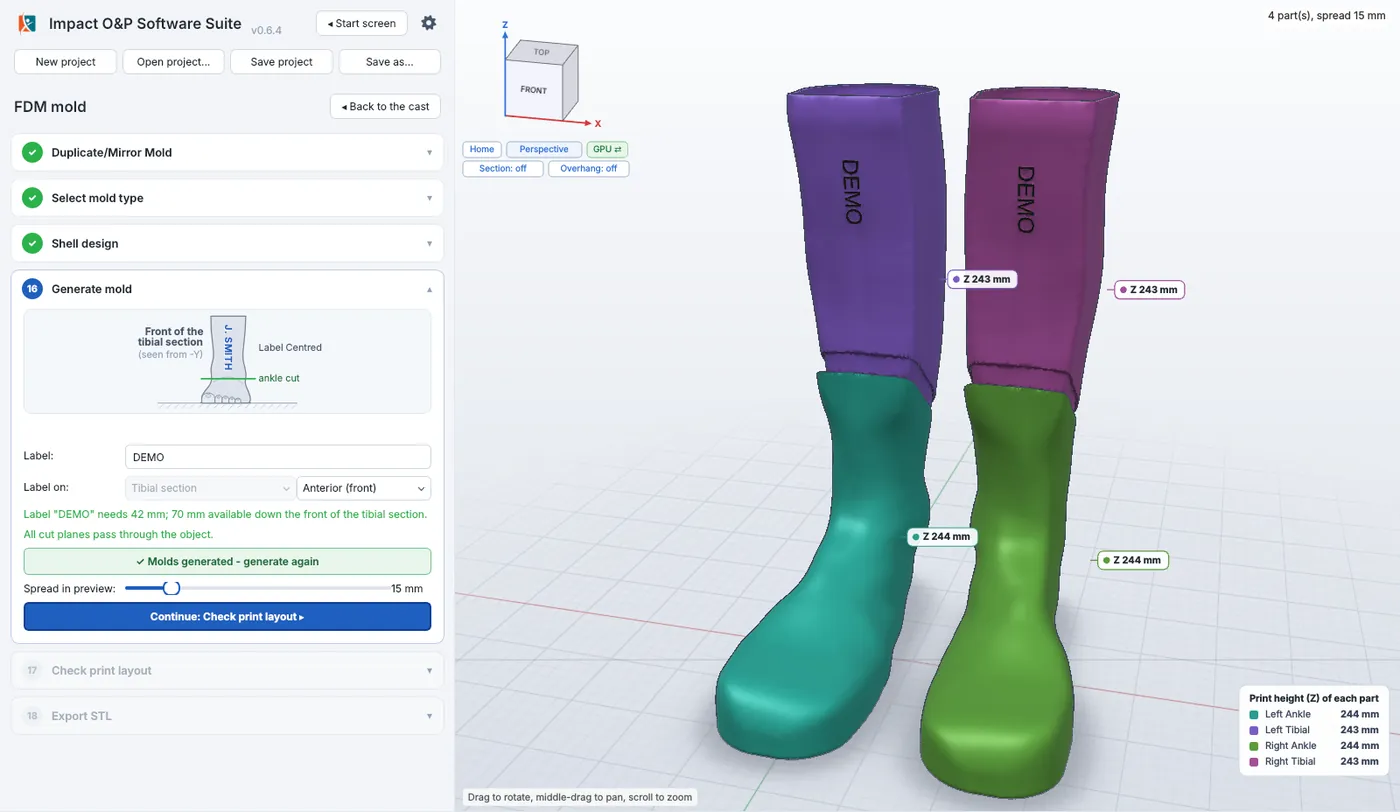
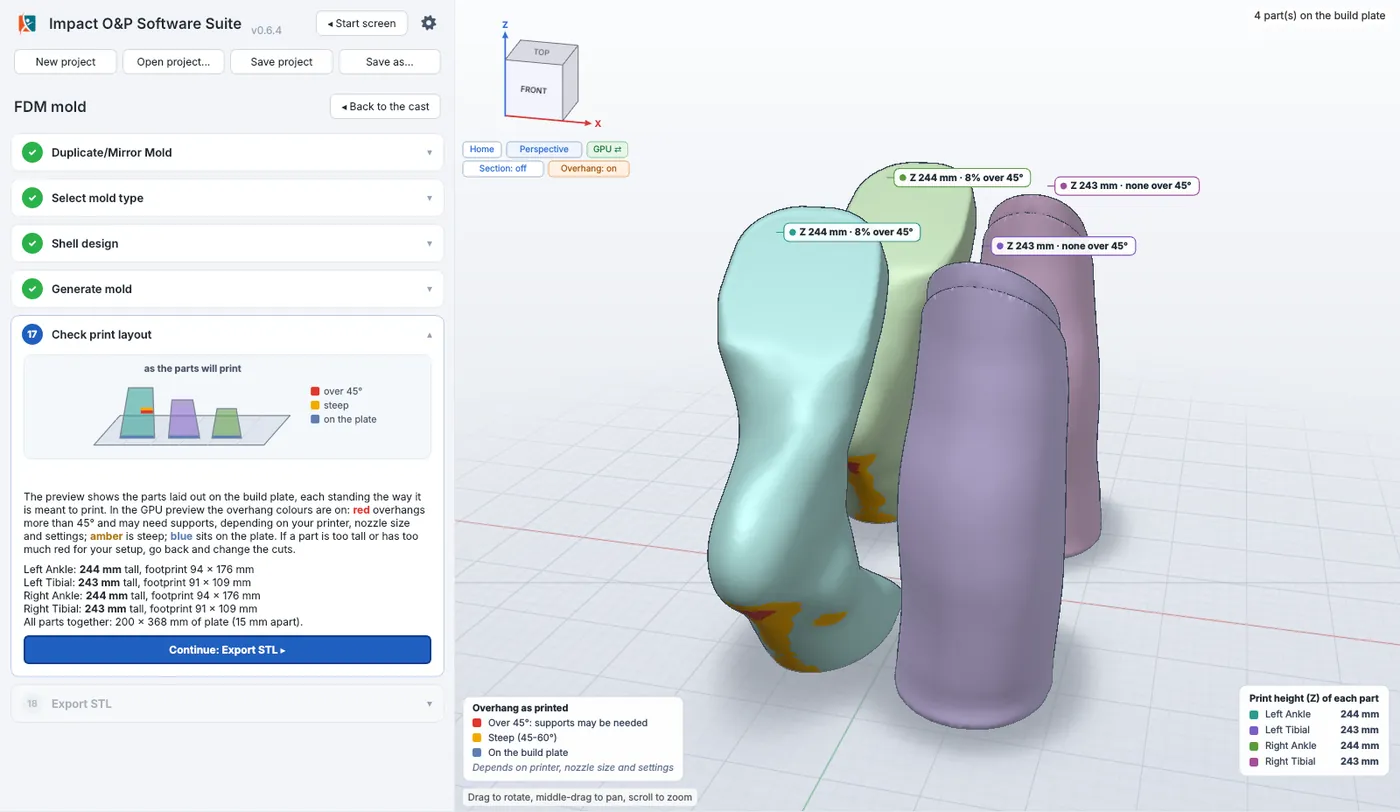
FDM molds
Carry straight on from the finished positive to print files for a mold.
How it works
From scan to print in three steps
01
Scan
Open a limb scan or cast scan as STL, OBJ or PLY. The cleanup tool finds and repairs rough spots.
02
Modify
Mark landmarks, set the pose, flatten the foot, set the trim line, add build-ups and sculpt. Every change can be undone or switched off.
03
Make
Export the positive for printing or carving, or carry straight on to print files for a mold.
Privacy
Your patient data, encrypted end to end
Cloud storage is completely optional. Nothing is stored in the cloud until you set it up with your own passphrase, and you can stop using it at any time. When you do use it, every project is encrypted by the software before it is sent, so only you can open it.
How it’s encrypted
- Each project is sealed with AES-256-GCM under its own random key. A sealed file that has been altered in any way will not open.
- Those file keys are locked by your personal 256-bit key, which only your cloud passphrase can unlock (PBKDF2-HMAC-SHA256, 600,000 rounds).
- Project names and details are encrypted too, not just the files.
- A one-time recovery code, shown only to you when you set up, restores access if you forget your passphrase.
Where it can be kept
- Impact cloud storage, included with every subscription.
- Microsoft OneDrive / 365 and Google Drive: coming soon. They will hold exactly the same encrypted files, never readable copies.
- Open your projects in the browser or the Windows application, wherever you sign in.
What we can see
- Never your passphrase, your keys or your project names: only encrypted data we cannot open.
- Your account, your subscription, the computers you’ve signed in on and how much storage you use.
- Because only you hold the key, we can’t open or recover a project without your passphrase or recovery code.
Questions
Do I get both the browser-based tools and the Windows application?
Yes. Every subscription includes both the browser-based tools and the Windows application. Sign in on this site to open the browser version, and sign in to the Windows application with the same account. Projects open in either.
Do I need to install anything?
Not for the browser-based tools: open them from your account and start. The Windows application is a download from your account.
How many computers can I use?
That depends on your subscription. Each plan includes a set number of computers, shared between the browser-based tools and the Windows application. You can see which ones are in use under Computers in your account, and sign one out there to free its place.
Where are my patients’ scans kept?
Wherever you choose to save your projects, including Impact cloud storage, which comes with every subscription (Microsoft OneDrive / 365 and Google Drive are coming soon). Every project file is encrypted end to end with AES-256-GCM before it’s sent, and only your cloud passphrase can unlock it, so nobody else can open it, not even Impact. Cloud storage is completely optional.
Does the Windows application work without internet?
Yes. The Windows application checks your subscription when it’s online, and keeps working without an internet connection for up to 3 days between checks.
Can I cancel?
Yes, any time from your account. You keep access until the end of the period you’ve paid for.
What’s coming next?
More orthotic and prosthetic packages, joining the same software suite as they’re ready, and Microsoft OneDrive / 365 and Google Drive as places to keep your encrypted cloud projects.
Something else? Send us a message, or email software@impactorthotics.ca.
Ready to modify your next AFO?
Subscribe, sign in and open your first scan in minutes. Questions first? Send us a message: we’re happy to show you around.